iOS 27 beta indexing taking too long? Here’s how to check the progress from your Mac

Some iOS 27 Beta 1 users are seeing unusually slow indexing, and there’s no progress indicator on the device itself. Here’s how to check the index progress.
If you installed iOS 27 Beta 1 and your iPhone feels slower than expected, the indexing process might still be running in the background. For some users, it’s taking much longer than it should, and the progress isn’t visible on the device itself. The good news is that you can check the actual percentage from your Mac by watching the Spotlight index rebuild.
To do that, you first need to trigger a Spotlight reindex on your Mac, which will also surface the progress indicator. Here’s how to do it on macOS Ventura or later:
- Open System Settings from the Apple menu.
- In the sidebar, click Spotlight or Siri & Spotlight.
- Scroll down and click the Search Privacy button at the bottom.
- Drag your main disk, usually Macintosh HD, into the list of excluded locations, or click the add button (+) to add it manually.
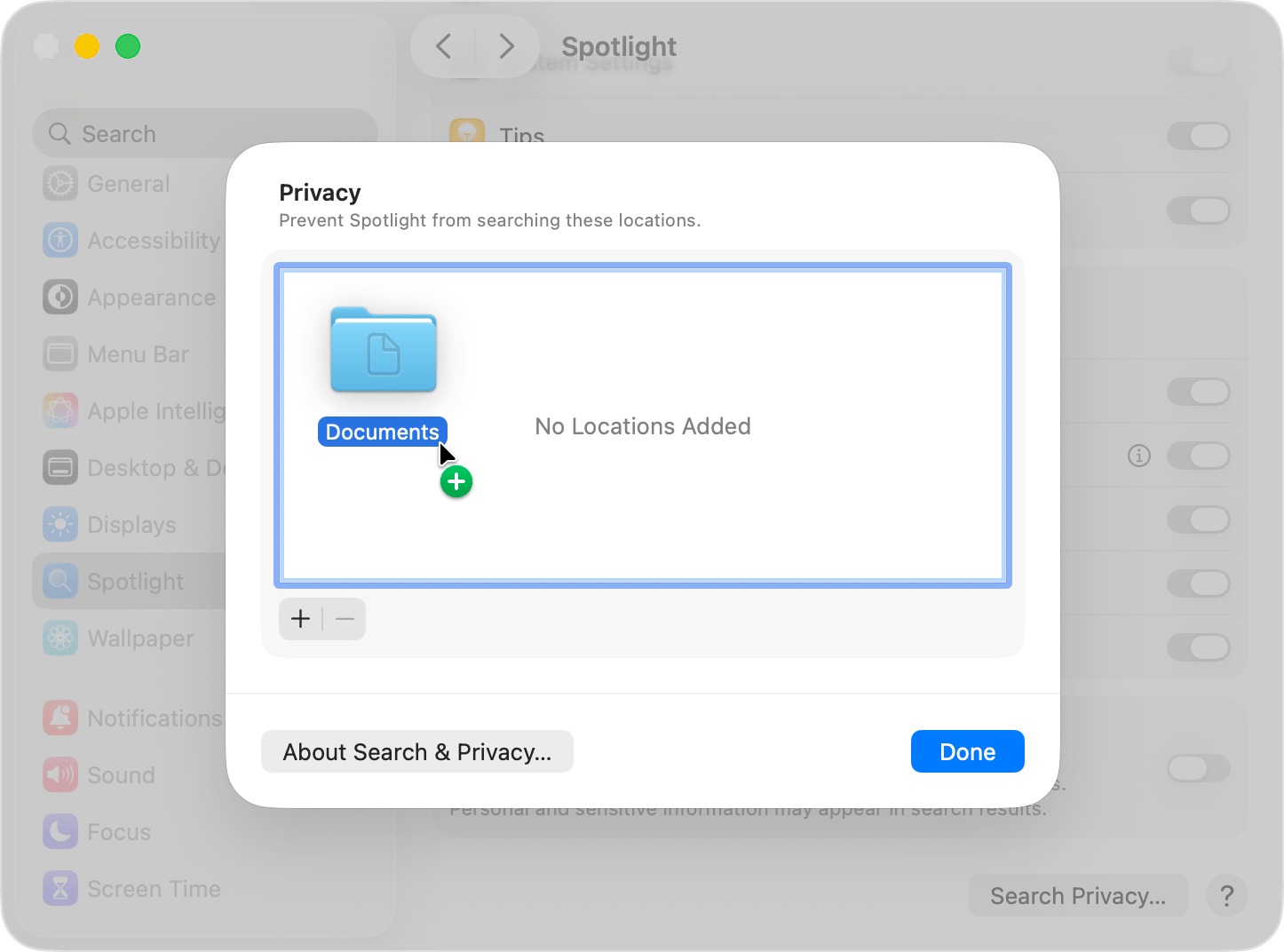
- Wait a few seconds, then select the disk you just added and click the remove button (–) to take it off the list.
- Click Done and quit System Settings.
Spotlight will now reindex your disk. During the process, you’ll see a progress indicator at the top of the Spotlight window showing exactly where things stand. Depending on how much data you have, this can take a while, but at least you’ll know it’s actually moving.
If you’re on an older version of macOS, the same steps apply through System Preferences instead of System Settings, under the Privacy tab in the Spotlight section.